
Live streaming services in Dallas-Fort Worth, with audio your remote audience can follow.
Up to four Sony 4K cameras, switched live on site, streamed to whichever platform you already use. The part that decides the stream is the sound: your microphone receivers run through AI-powered De-Feedback and then our mixer, then straight into the video switcher as a clean board feed. The people watching from a laptop hear the same processed speech the room hears, carried off the console into the switcher rather than off a camera.
The sound is where most live streams fall apart.
Sit through a badly streamed conference and the sound is almost always where it went. The picture is fine. What drives the remote audience away is a presenter who sounds like they are speaking from the back of a parking garage, a panel where only the person nearest the camera is intelligible, and a room whose air handling is louder than the microphone. Every one of those is an audio problem being solved with a camera.
We come at this from the other direction. Dallas Event Audio has been running live sound in this metroplex since 2001, so when we stream an event, the microphones are already ours, already mixed, and already processed. The stream gets a direct feed from the mixing console, the same signal we send to the speakers in the room, patched into the video switcher on a dedicated audio input. The cameras supply the picture and the console supplies the sound.
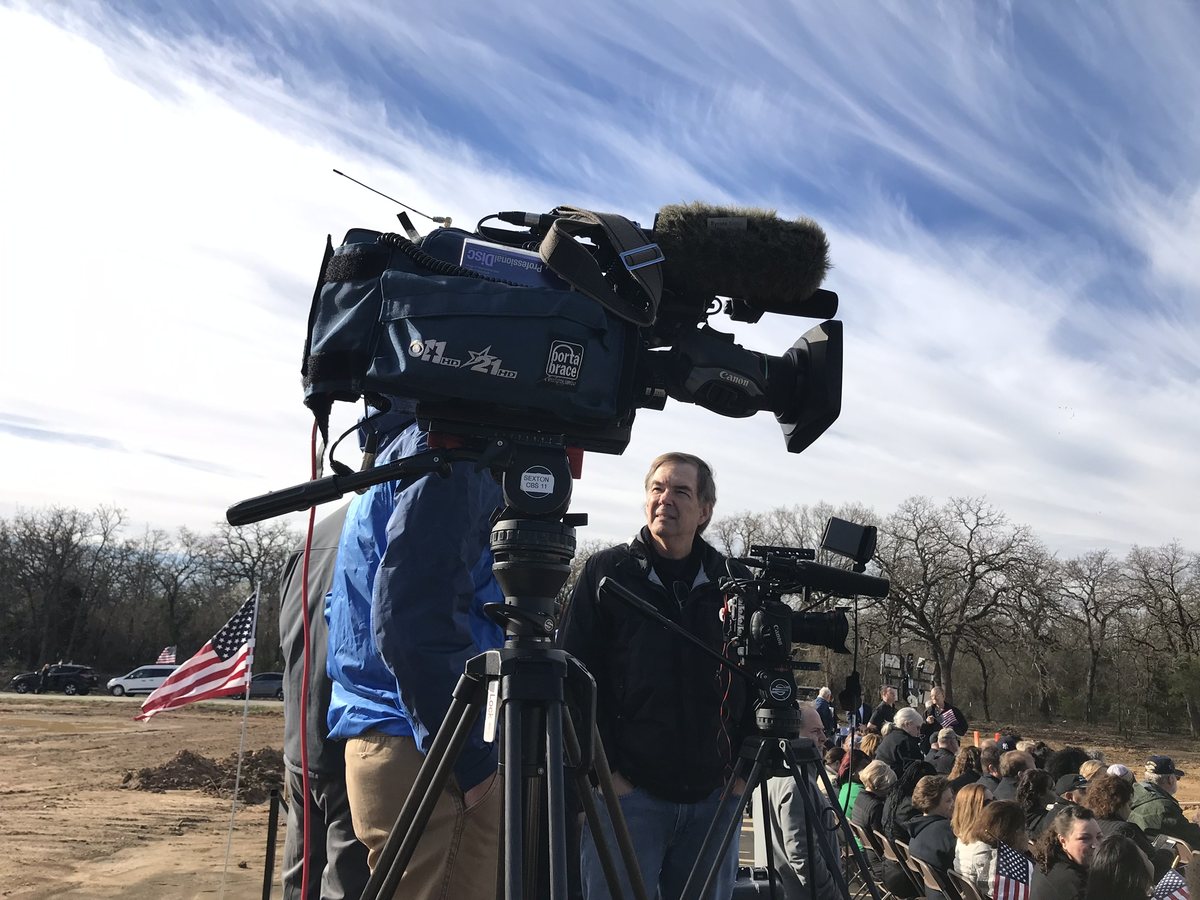
The video side is genuinely good: up to four Sony 4K cameras cut live by an operator, so the stream follows the speaker, the slides and the room instead of staring at one wide shot for two hours. But the reason people stay watching is that they can understand what is being said. If you want the wider picture of what we run on the sound side, start at our audio services.
Same room, same microphone, two ways to reach your remote audience.
One route runs across the room into a camera, which hears the presenter along with the air conditioning and the row behind you. The other runs into our console, gets processed channel by channel, and reaches the switcher as a board feed.
How the stream is built
Five stages, start to finish. The order matters, because the audio is cleaned up before it ever reaches the video side rather than after.
Microphones
Lapels, handhelds, podium and panel microphones, placed and rung out for the actual room.
Mixing console
Every channel gated, compressed and EQ’d, with AI-powered De-Feedback holding the room stable.
Video switcher
A Blackmagic Mini ISO Pro takes the camera feeds and the board feed, cut live by an operator.
Encoding laptop
A MacBook Pro encodes the switched program and pushes it out over the venue’s connection.
Your platform
Zoom, Teams, YouTube, Facebook, Twitch, Vimeo or whatever your organization already runs on.
microphones → mixer → De-Feedback → video switcher → encoder → platform
The whole chain is one crew
The sound in the room, the microphones on the presenters, the cameras and the stream are all run by the same team on the same load-in. One crew handles the audio and the video, so the hand-off happens inside the team rather than in a hallway forty minutes before doors, and the feed the switcher expects is the feed the mixer sends, agreed the week before. Talk to us about your date and venue and it is quoted as one job.
Your microphones reach the stream as a board feed.
This is the whole argument for hiring an audio company to run your stream, so it is worth being specific about it. A camera has a microphone on the front. Point it at a stage forty feet away and it records the stage, the HVAC, the ice machine, the coffee service at the back and the two people whispering in row four, all at roughly the same volume, because a camera microphone hears everything in front of it equally and treats it all as the subject.
We take the stream audio from our own microphones instead. The presenter’s lapel, the handheld going around the Q&A, the podium microphone and the panel table are all on our console. Each one is treated individually, then summed into a stereo feed and patched into the video switcher on a dedicated audio input. What the stream carries is the mix, the same one the room hears, minus the room.
On top of that, every microphone runs through our AI-powered De-Feedback processing. It watches for the frequencies that are about to ring and pulls them down before they do, which means we can run gain high enough for a soft-spoken presenter to be genuinely clear with the system stable. Remote viewers get the benefit twice over: the speech is louder relative to the room, and it arrives clean, free of the low-level ring that makes long streams tiring.
Why the remote audience drops off
Attention on a stream is far more fragile than attention in a room. Someone sitting in your ballroom has social pressure, a table, a coffee and nowhere else to be. Someone watching from a desk has a browser tab and a dozen other things to click. The moment they have to work to understand a sentence, they leave. Clean, processed, feedback-free speech is what keeps a remote audience with you through a long session.
What we bring
A compact, reliable package, sized to what the stream needs. Every piece of it is delivered, built, tested and operated by our technician.
Sony 4K cameras, one to four
We scale the camera count to the event rather than the invoice. One camera is right for a single presenter on a fixed stage. Two covers a presenter plus the audience or the slides. Three or four is what a panel, an awards night or a multi-speaker general session needs so the cut can follow whoever is talking.
Blackmagic Mini ISO Pro switcher
The switcher is where the event is assembled. Camera feeds, presentation graphics and the audio board feed all arrive here, and an operator cuts between them live as the event happens. That is why the stream tracks the room. A person is watching it and making those decisions, so the shot changes when the event does.
MacBook Pro streaming station
The switched program goes into a MacBook Pro, which encodes it and pushes it to whichever service you have chosen. We connect to your platform and your account, so the recording, the chat, the registration list and the analytics all live where your organization already keeps them rather than on a vendor’s system.
Console, microphones and De-Feedback
Wireless lapels and handhelds, podium and panel microphones, playback from a presenter’s laptop, AI-powered De-Feedback sitting between the receivers and the console, and a mixing console running every one of them. This is the same system reinforcing the room, so the audio the stream carries and the audio your live audience hears are the same mix.
How many cameras your event needs
More cameras means more to cut between, and the right count depends on the room. What matters is whether there is more than one thing worth looking at, and whether anybody is going to look away from the stage.
Single camera
Rig 1 camera · locked shot · board-feed audio
One presenter, one position, one message. A clean locked shot with real board-feed audio, which is already better than most streams. Right for a keynote, a briefing or a short address.
Two cameras
Rig 2 cameras · wide and tight · or stage and slides
A wide and a tight, or a stage camera and a slide feed. The cut can breathe, and a long session stops feeling static. This is what most corporate events book.
Three cameras
Rig 3 cameras · wide · tight · reverse or audience
Wide, tight and a reverse or audience angle. Panels start to work properly here, because the cut can land on whoever picked up the microphone instead of holding on the moderator.
Four cameras
Rig 4 cameras · stage · podium · audience reaction
Full coverage for an awards night, a multi-speaker general session or a room where the audience reaction is part of the story. Everything worth seeing is on camera.
We stream to whichever service you already use
Your stream goes out on the platform you already use, and your attendees watch on your own link. You tell us where the stream is going and we send it there. In practice that means Zoom and Microsoft Teams for internal and hybrid meetings, YouTube Live and Facebook Live for public and community events, Vimeo for organizations that want the stream gated behind their own branding, Twitch for anything with a gaming or entertainment audience, and a plain RTMP destination for corporate platforms that provide their own key.
Keeping the stream on your account matters more than it sounds. The registration list, the chat, the viewer analytics, the retention graph and the recording all stay inside systems your organization already controls and already has a data agreement with. When your communications team wants the numbers on Monday, they log into their own dashboard. The archive is yours too: the recorded session lives in your platform’s library, ready to download, cut down or repost.
Hybrid events and webinar production in Dallas
If half your audience is in the ballroom and half is on a laptop, the two halves are one event with two feeds and we run them that way. That means microphone coverage planned for both audiences, a room mix and a stream mix that are related but not identical, and somebody whose job during the session is watching the stream. That is what a hybrid event production booking with us includes.
Conferences, general sessions, town halls and awards nights.
Corporate work is the bulk of what we stream, and it is the environment this setup was built for. A general session with a lapel-microphone keynote, a panel on a stage, a Q&A microphone traveling through the audience and a slide deck that has to be legible on a phone is the situation where a camera-microphone stream falls apart and a board-feed stream holds together.
The practical advantage is that we are already your audio company for the day. The room reinforcement, the presenter microphones, the playback from the laptop on the podium and the stream are one system with one operator behind it. One crew handles the sound and the stream, brings its own adapters, and you only have to explain the day once. Load-in is one crew, one time.
For a conference running breakouts, we can stream the main room while the breakout rooms get their own audio, all quoted together. Our corporate events page covers the rest of what that day looks like, and sound and AV equipment rental covers the room systems underneath it.
For the people who could not get on a plane.
Wedding streaming is a smaller part of what we do, and it carries a lot of weight. There is usually a specific reason it is being booked, a grandparent watching from home, family overseas, someone recovering who wants to be there in spirit, and there is one take.
What we bring to it is the same thing that makes the corporate streams work. The ceremony microphones are already ours, which means the vows are on a lapel and a discreet podium microphone going through our console, not on a camera at the back of the aisle. A ceremony is the hardest audio in the entire event: two people speaking quietly, outdoors as often as not, with wind and a string quartet and a hundred guests breathing. A lapel microphone is the tool for it. A processed lapel feed does.
We keep the camera positions unobtrusive and work to whatever your officiant, venue and photographer have already agreed. If we are handling your ceremony and reception audio anyway, adding the stream is a small extension of a system that is already in the room, see wedding audio for the rest of it.
Where streaming fits with everything else
The stream is rarely booked on its own. It usually rides along with the audio, video and production we are already bringing to the room.
Corporate events
General sessions, town halls, panels and awards nights, streamed on your platform with board-feed audio.
Photo & video
Corporate photography and videography delivered as raw files, 24-hour turnaround, alongside the stream.
Audio services
The console, microphones and room reinforcement the stream feeds off. This is the foundation of all of it.
Weddings
Ceremony and reception audio, with an optional stream for the family who could not make the trip.
Sound & AV rental
Speakers, subwoofers, wireless microphones, mixers and corporate AV, delivered, set up and sound checked, with a technician to run it on request.
Lighting
Stage and uplighting that makes a room read properly on camera instead of turning presenters into silhouettes.
What we need from the room
Streaming has three genuine dependencies. We check all of them before the day rather than discovering them at eight in the morning.
An internet connection we have testedWired if at all possible
This is the one that decides whether a stream succeeds, and it is almost always the venue’s house Wi-Fi that decides it, fine at nine in the morning and then shared with four hundred phones by ten. We ask for a wired connection to the streaming position wherever the building can provide one, and we test the actual upload speed from that actual jack in advance rather than trusting the number on the venue’s information sheet.
A camera position with a real sightlineAnd an agreement that it stays clear
Cameras need a clear sightline, away from the pillar, the floral installation and the service door that is about to have twelve plated dinners carried through it. We walk this with you or the venue beforehand and mark the positions on the floor plan, because a tripod that has to move during a keynote is a shot that is gone.
Power at the streaming positionOn its own dedicated circuit
The switcher, the encoding laptop, the console and the cameras all need clean, uninterrupted power. The risk is quiet: somebody plugs a warming tray into the same circuit and the breaker takes the stream down mid-sentence. We identify a dedicated circuit as part of the advance and run our own distribution from it.
A little time before doorsEnough to build and test
We need the load-in window to include a real test, the stream going live to your platform, checked from a second device outside the building, with a microphone open and somebody listening. Building the rig is the quick part. Confirming that what leaves the room arrives at the other end takes the rest of the window, and we plan the schedule around it.
Where we stream
We work across Dallas-Fort Worth, roughly forty miles out from our base in ZIP 76053, which puts most of the metroplex comfortably inside the radius.
Dallas
Downtown hotel ballrooms, Design District spaces and corporate conference centers.
Fort Worth
Convention space, downtown hotels and the Stockyards event venues.
Plano
Corporate campuses and the Legacy-area meeting and conference space.
Irving
Las Colinas corporate AV, hotel conference centers and training facilities.
Frisco
Hotel ballrooms, corporate meeting space and stadium-district events.
Southlake
Country clubs, private estates and Town Square venues.
Arlington
Entertainment district venues, university auditoriums and large-format sessions.
McKinney
Historic downtown venues and north-county corporate and wedding properties.
Richardson
Telecom corridor offices, training rooms and civic auditorium events.
Looking for a live streaming company near you in DFW?
If your venue is inside the metroplex, we are almost certainly already familiar with it. Searches like live streaming services Dallas, corporate live streaming, live streaming company Dallas and event live streaming near me all land in the same place: a crew that shows up with cameras, a switcher and, the part that separates one stream from another, a mixing console. Send us the date and the venue and we will tell you what it needs.
Why hire an audio company to run your stream
The audio is the product
Everyone streaming events in Dallas has cameras. Very few of them own the console your microphones are already plugged into. The board feed and the AI-powered De-Feedback processing are the reason a remote viewer stays for forty minutes instead of four.
One crew, one load-in
Sound, microphones, cameras and stream are all us, on the same booking. One team owns the feed from end to end, and one technician on site understands the whole signal path from the lapel to the platform.
Run by our technician
Every stream is staffed for the whole event. Everything is delivered, built, tested end-to-end and operated by our technician for the length of the event, then struck. Insured, and working in Dallas-Fort Worth since 2001.
Live streaming questions
Do you offer live streaming services in Dallas?
What platforms can you stream to?
How many cameras do you use?
Why does your stream audio sound different from other live streams?
What is De-Feedback and why does it matter on a stream?
Can you run a hybrid event where half the audience is remote?
Do we get a recording afterwards?
Do you also shoot corporate photography and video?
What do you need from our venue?
Can you live stream a wedding ceremony?
How much do live streaming services cost in Dallas?
How far do you travel?
Tell us the date, the venue and the platform. We’ll spec the stream.
The date, the room, roughly how many people are in it and where the stream needs to go is enough to get a real quote back, with the cameras, the switcher, the audio and the technician already in the number. Tell us about your event and you’ll hear back from us today, with a straightforward quote within 24 hours.